
View usage metrics
Learn how to track and view your daily and monthly platform usage
Validin tracks daily and monthly platform usage across four categories. Each category represents a way of interacting with data provided through the platform:
- User interface searches
- API queries
- Automated searches (alerts)
- YARA rules
Track platform use
View usage metrics in the Profile screen:
- Click the Profile icon
- Select Profile
View daily and monthly totals
Daily and monthly query usage appears as a total figure in a box in the top right corner of the screen.
Usage dashboard
The Usage Dashboard shows a grid-based view of daily platform usage.
To get a detailed breakdown by category:
- Select the usage category from the dropdown menu
- Select a date range from the right-hand menu
- Hover over any day to see daily usage metrics
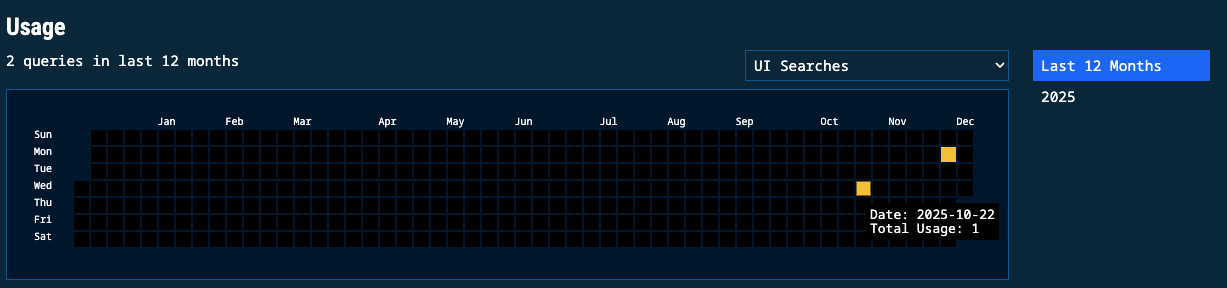
Usage dashboard displaying daily metrics with category and date filtering options
Updated 11 months ago
Did this page help you?