
Create a Project
Learn how to create a new project in Validin, add indicators for investigation, and attach OSINT references.
Projects provide a structured workspace where you can organise and investigate sets of indicators and related OSINT references amongst team members.
Create a new Project
- Open the Projects page from the left navigation panel.
- Select Create.
- Click the edit icon to specify a name.
- Give your Project a Description in the sidebar menu.
- The new Project opens on the Indicators tab with no results
Project settingsYou can update Project details at any time using Settings in the sidebar menu.
Add indicators to a new Project
- From the Indicators tab, select Add Indicators
- Enter an indicator value in the Indicator field
- Select a Type from the dropdown:
- Domain
- IP Address
- Hash
- String
- Select Add Another to enter additional indicators
- Select the trash icon if an entry needs removal
- (Optional) Select Add Bulk to paste a list of multiple indicators
- Save to populate the project
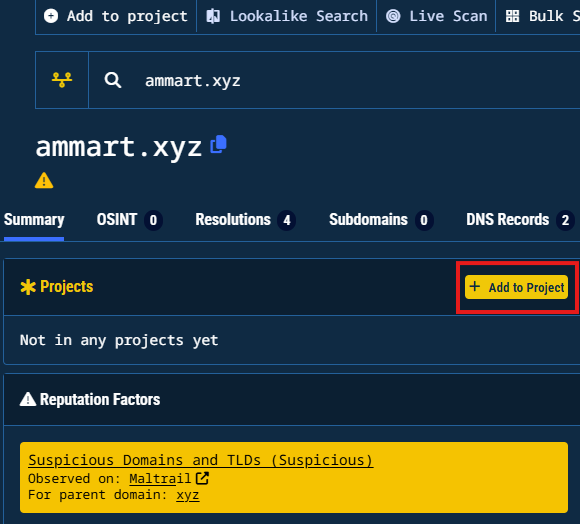
Adding indicators from other screensKeep an eye out for the yellow Add to Project button to add indicators from other screens in Validin.
Add OSINT References to a Project
- Navigate to the References tab
- Select Add Reference
- Provide the URL reference
- (Optional) include a Note for investigation context
- Save the reference
Updated 10 months ago
Did this page help you?