
MISP
Integrate Validin's extensive passive DNS, WHOIS/RDAP, Certificates, and HTTP/S data directly into the MISP Threat Sharing platform for deeper enrichment and context.
The Validin MISP Integration connects a MISP instance to the Validin API. It enables you to query across Validin's data sources: DNS, WHOIS and RDAP records, TLS Certificates, and HTTP/S web crawls - and directly enrich domain names and IP addresses in your MISP instance.
What is MISP?MISP Threat Sharing (formerly the Malware Information Sharing Program) is an open source threat intelligence sharing platform used by teams around the world to share threat intelligence. This integration enriches the following MISP attributes:
domain,hostname,ip-srcandip-dstwith Validin's internet intelligence data.
1. Prerequisites ⚙️
To use the Validin MISP Integration:
- Ensure that you have MISP 2.4 or higher running on your MISP instance
Python >= 3.9- Individual package versioning is directly handled by the misp-modules service using
poetrybased on your Python version - The Validin MISP module has no additional requirements besides what
misp-modulesalready requires
- Individual package versioning is directly handled by the misp-modules service using
For more information:
2. Installation
- Download the Validin MISP module from here
- Move the Validin MISP module into your
misp-modulesworking directory - Restart the MISP Modules Service
- For more information about setting up and starting MISP Modules: visit the
misp-modulesdocumentation
- For more information about setting up and starting MISP Modules: visit the
- Set Environment Variables
- Under the Administration Tab, select "Server Settings & Maintenance"
- Select the "Plugins" Tab and search for Validin.
- Expand the Enrichment accordion to see all Validin module settings
- Enable the Validin enrichment, and set the following environment variables:
- Endpoint: Your Validin endpoint (e.g. app.validin.com)
- API Key: Your Validin API Key (found in your Profile, under Settings > API Keys)
- Result Limit: Defaults to 100, but can be overridden

Manage your Validin MISP settings using the Plugin administration in the MISP server settings
3. API Usage and Quota
The Validin MISP module enriches attributes across multiple data sources, using multiple queries per enrichment.
API Rate LimitsEvery action (hover and enrichment) using the Validin MISP integration uses a minimum of 5 API queries, and as many as 8, depending on the attribute type and your tier of plan. Monitor your API usage carefully to avoid overages.
4. Features
The Validin MISP integration is structured as an expansion module for your MISP platform. The module supports two modes for enrichment of MISP attributes:
Validin can only enrich the following types of attributes:
domainhostnameip-srcip-dst
4.1 Enrichment Mode
The Validin MISP module provides a mechanism for deep enrichment using the "Add enrichment" and "Propose enrichment" icons, represented by asterisks, under the "Actions" column, to the right side of an attribute row.
Proposing or adding an enrichment will populate the enrichment table with all the records and attributes from a Validin enrichment. This enhanced context can enable users to decide if there are other suspicious attributes (domains/IPs) that are related to this event and should be added.
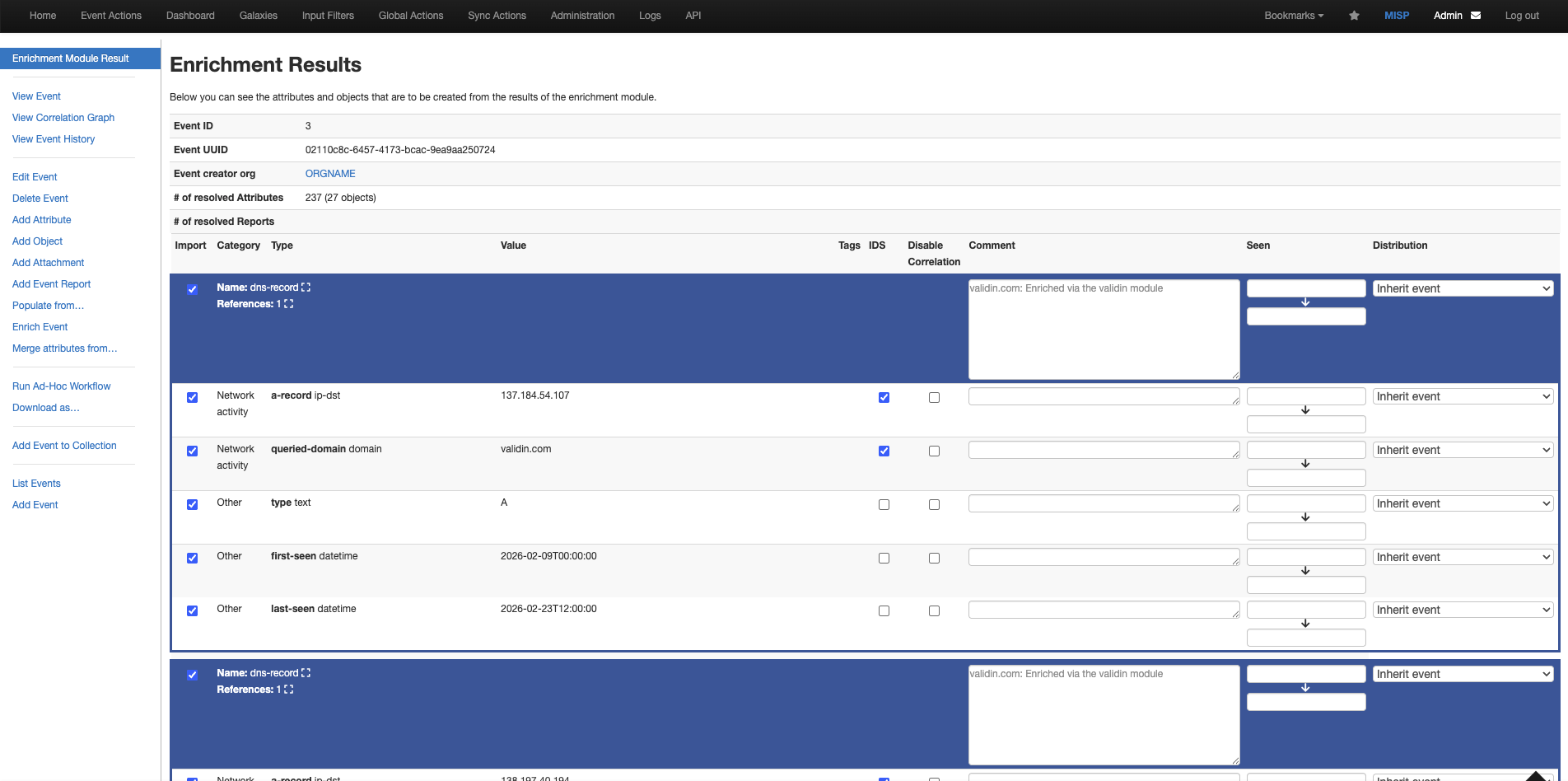
Enrichment Results table for validin.com. This shows all the associations for validin.com across the various data sources with which Validin enriches.
4.2 Hover Mode
The Validin MISP module provides a quick way to enrich attributes through hover mode, that gives immediate context about any observed infrastructure.
Next to any attribute in a MISP event, click on "Show Hover Enrichment", represented by the zoom-in icon directly next to the value of the attribute.
The Hover pop-up includes identical context as the "Enrichment Results", but shows it in a more compact popup for usability.
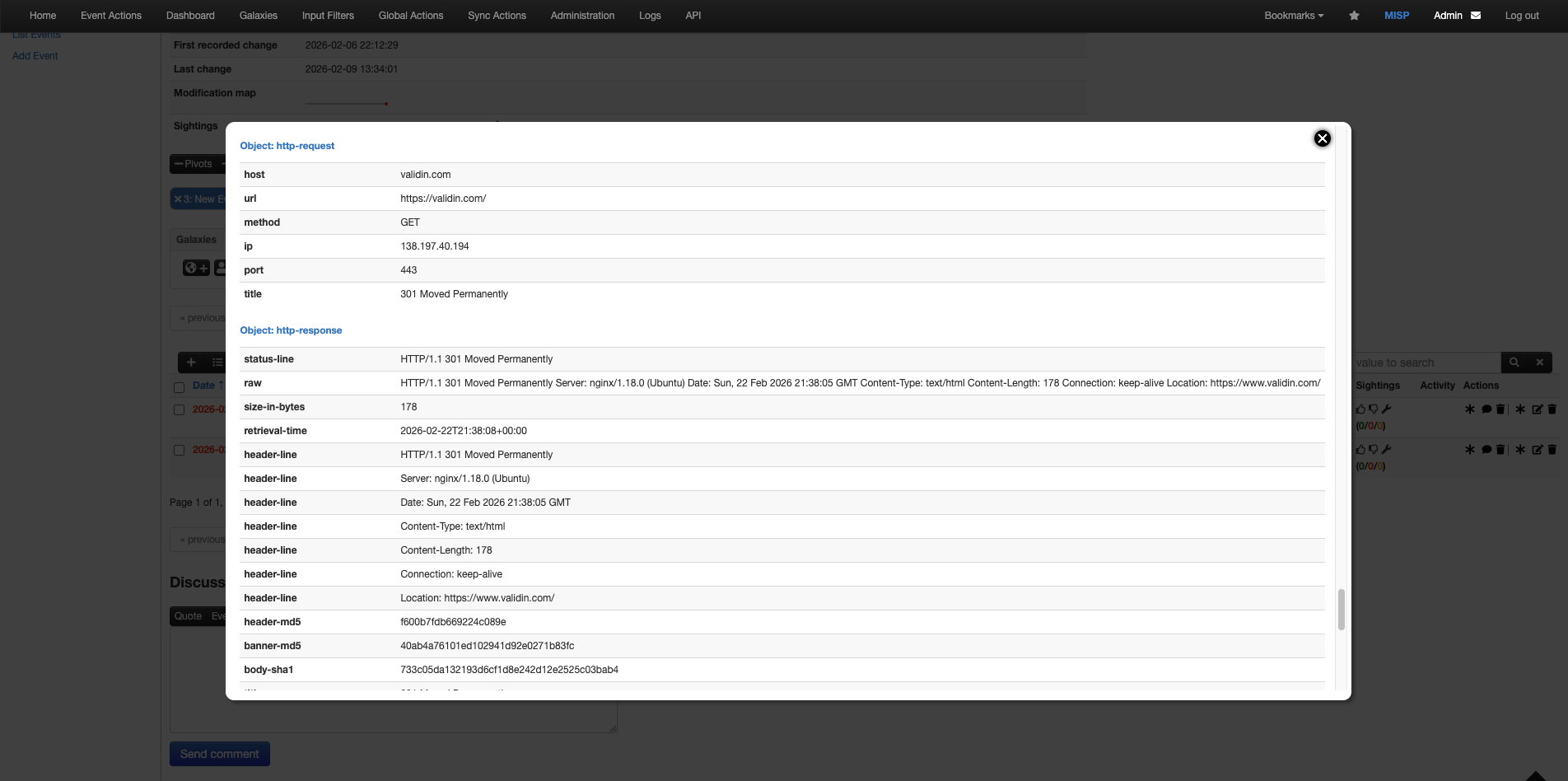
Example hover popup for validin.com that includes identical details as the "Enrichment Results" table above
TipUse Hover mode when you only want immediate context for a domain or IP. Use Enrichment mode when you want the ability to add additional, related attributes to your MISP event.
5. Data Model
Use the table below to understand the Validin MISP data model.
| Data Source | Lookback | Attribute | MISP Object Format |
|---|---|---|---|
| DNS | 14 days | domain,hostname,ip-src,ip-dst | dns-record |
| Host Responses | 21 days | domain,hostname,ip-src,ip-dst | http-request,http-response |
| Registration (enterprise users only) | 30 days | domain,hostname | whois |
| Subdomains | --- | domain,hostname | domain |
| Certificates | --- | domain,hostname | x509 |
6. Troubleshooting
Use the table below to troubleshoot and resolve common errors when using the Validin MISP Integration.
| Issue / Error | Cause | Resolution |
|---|---|---|
| Unexpected "Empty Results" in hover mode | Missing environment variables | Ensure that your Validin module environment variables are set correctly, and verify that you have the correct API Key. Try an enrichment to view more verbose error descriptions. |
Updated 8 months ago