
Indicator Annotations
Learn how to interpret and use icons placed by indicators via Validin's enrichment.
Validin displays icon-based annotations next to indicators throughout the platform. These annotations provide immediate context about an indicator without requiring expansion or pivoting.
Annotations represent enrichments derived from first-party analysis and integrated datasets. They are designed to help analysts quickly assess relevance, risk, and trust while reviewing results.
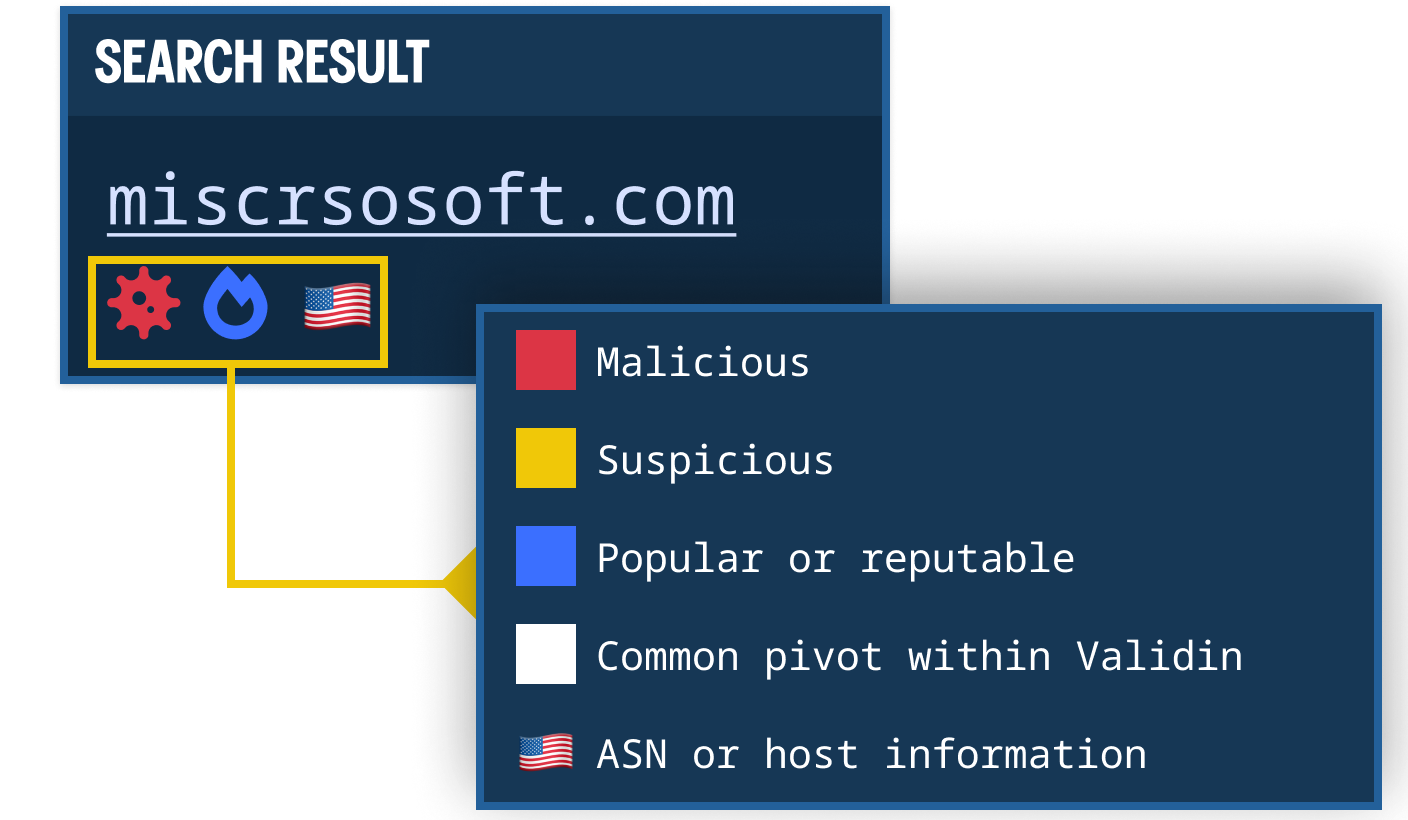
Where annotations appear
Annotations appear alongside indicators in most areas where domains, IP addresses, or hashes are displayed.
This includes:
- Global Search result tables
- Summary views
- Dashboard widgets
- Project views
Annotations are rendered directly beneath or beside the indicator value.
How annotations are used
Annotations provide at-a-glance context during investigation workflows.
They are commonly used to:
- Identify previously reviewed infrastructure
- Flag malicious or suspicious indicators
- Recognize trusted or stable domains
- Avoid high-volume pivots
- Detect newly observed activity
Some annotations display a tooltip on hover. Full supporting detail can be reviewed by expanding the indicator where applicable.
Annotation reference
The following icons represent specific enrichment signals within Validin.

Project membership
Represents that the indicator is included in a project.
- Icon: Six-point star
- Color: Defined per project
- Default color: Validin yellow
The icon color corresponds to the project in which the indicator is stored. Project colors are configurable in project settings.
This annotation is used to prevent investigative loops and track workflow progress. As indicators are added to a project, they are marked across result sets to indicate prior review within that investigative context.

Malware
Indicates that the indicator is listed as malware in the Maltrail dataset.
- Source: Maltrail
- Tooltip: Displays the associated threat profile name
This annotation reflects classification within Maltrail as malware. It provides immediate visibility into known malicious infrastructure.

Malicious
Indicates that the indicator is classified as malicious in the Maltrail dataset.
- Source: Maltrail
- Tooltip: Displays the associated threat profile name
This annotation signals confirmed malicious classification according to Maltrail threat profiles.

Suspicious
Indicates that the indicator is classified as suspicious in the Maltrail dataset.
- Source: Maltrail
Suspicious classifications may include large suspicious TLD groupings (such as certain high-abuse domains) or other heuristically identified risk categories defined within Maltrail.
This annotation does not confirm maliciousness but highlights elevated risk.

Stable Rank
Indicates that the indicator has a Stable Rank designation.
Stable Rank reflects relative stability and trust characteristics derived from a variety of stable rank calculations such as Tranco Stable Rank, Magestic Stable Rank and Umbrella Stable Rank. Indicators with this annotation are typically associated with established, reputable, or consistently observed infrastructure.
This signal helps distinguish long-standing infrastructure from short-lived or volatile assets.

High pivot volume
Indicates that the indicator has a high estimated pivot count within Validin.
This means the indicator is highly connected within the dataset and is likely to return a large volume of results when pivoted.
This annotation is used to inform pivot strategy and avoid unintentionally expanding into broad or low-signal result sets.

Net new YARA match
Displayed within the Dashboard YARA widget only.
Indicates that the matched indicator was first observed by Validin within the last 24 hours for that specific YARA rule.
The 24-hour window is calculated relative to the current timestamp. This annotation highlights newly observed matches distinct from recurring or previously known matches.

Validin phishing feed
Indicates that the indicator appears on the Validin public phishing feed list.
Source: Validin public phishing feed
This annotation signals that the domain has been identified and included in Validin’s curated phishing domain feed, which contains known phishing domains discovered through Validin’s threat intelligence processes.
Interpretation guidance
Annotations are designed to provide immediate analytical context. They do not replace detailed review but assist in prioritization, navigation, and workflow management.
Where applicable, supporting detail can be reviewed by expanding the indicator.
Updated 8 months ago