
YARA case study
Read about the real-world implementation of Validin's YARA functionality
The following case study demonstrates how Validin’s YARA engine identifies active threat infrastructure by running two production rules derived from reporting by Palo Alto Networks Unit 42.
The malicious campaign - known as ClickFix - uses HTML template injection and obfuscated JavaScript to capture credentials across cloned verification pages.
Rule 1: Detecting ClickFix instruction templates
The first rule targets a unique HTML fragment found in ClickFix’s credential-harvesting workflow.
Unit 42 identified a pattern that included a styled “CMD+R” instruction embedded in injected markup.
rule ClickFix_Instruction {
    meta:
        description = "Finds the CMD+R"
    strings:
        $a = "</i> + <b>R</b>"
    condition:
        $a
}
This rule produced 575 matches over 1 day, primarily across domains hosting cloned verification pages.
Many of these hosts were already labeled as ClickFix infrastructure within the platform.
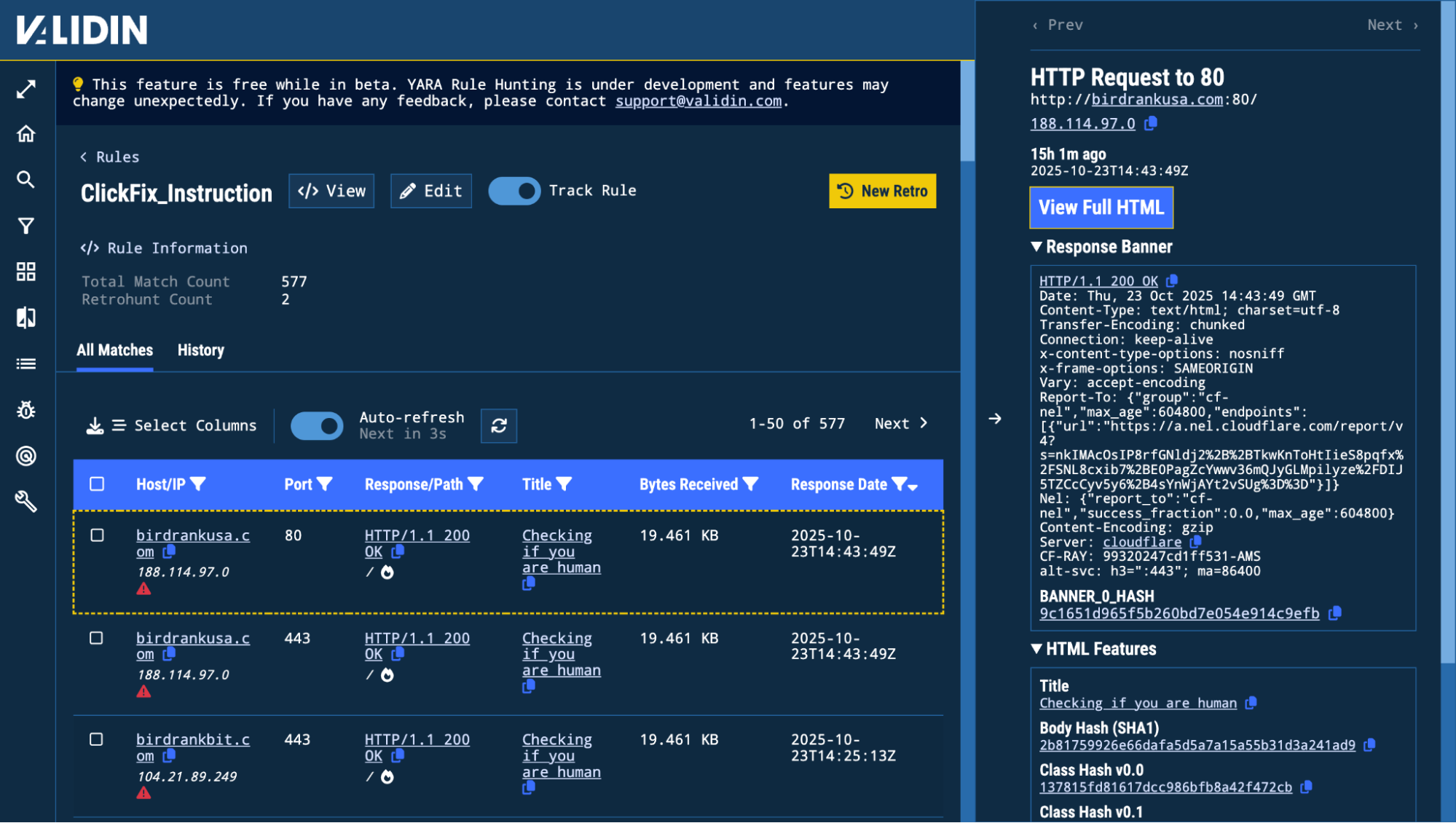
Matched results from the ClickFix YARA rule
Rule 2: Detecting Obfuscated JavaScript Injections
A second rule was applied to uncover JavaScript injection behaviour often observed in credential-harvesting kits.
These scripts typically decode embedded payloads using atob(), escape(), or similar functions.
rule MaliciousJavaScriptInject {
    meta:
        description = "Finds highly suspicious eval statements on pages"
    strings:
        $a = "eval(decodeURIComponent(escape(window.atob("
    condition:
        $a
}
This rule returned 2,213 matches over 3 days, many containing encoded JavaScript injected into otherwise benign landing pages.
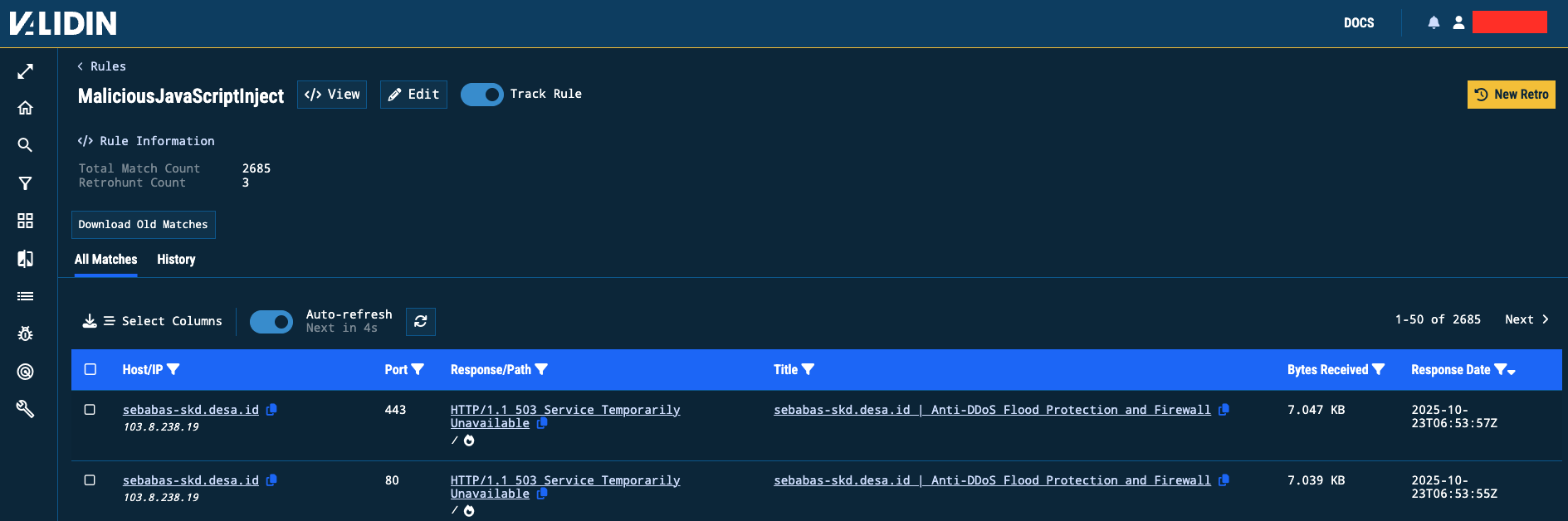
Matched results for JavaScript injection rule
Combined Findings
| Rule Name | Matches | Duration | Behaviour Identified |
|---|---|---|---|
| ClickFix_Instruction | 575 | 1 day | HTML instruction templates used in credential workflows |
| MaliciousJavaScriptInject | 2,213 | 3 days | Encoded JavaScript used to inject payloads into cloned login pages |
Workflow summary
- Add both rules to a Project using Add Rule.
- Validate each rule locally using the YARA Playground.
- Enable continuous monitoring with Track Rule.
- Review live results using All Matches.
- Pivot into a Core Search by selecting a Host/IP or Response/Path.
Updated 10 months ago